
Groceries & food diary · iPhone

Keep your kitchen organised.
Keep your meals balanced.

From the groceries you bring home to the meals you record. See what is left, plan what comes next and understand what you eat.

Coming to the App StoreSee the app

iOS 17+ · English, Greek & Russian

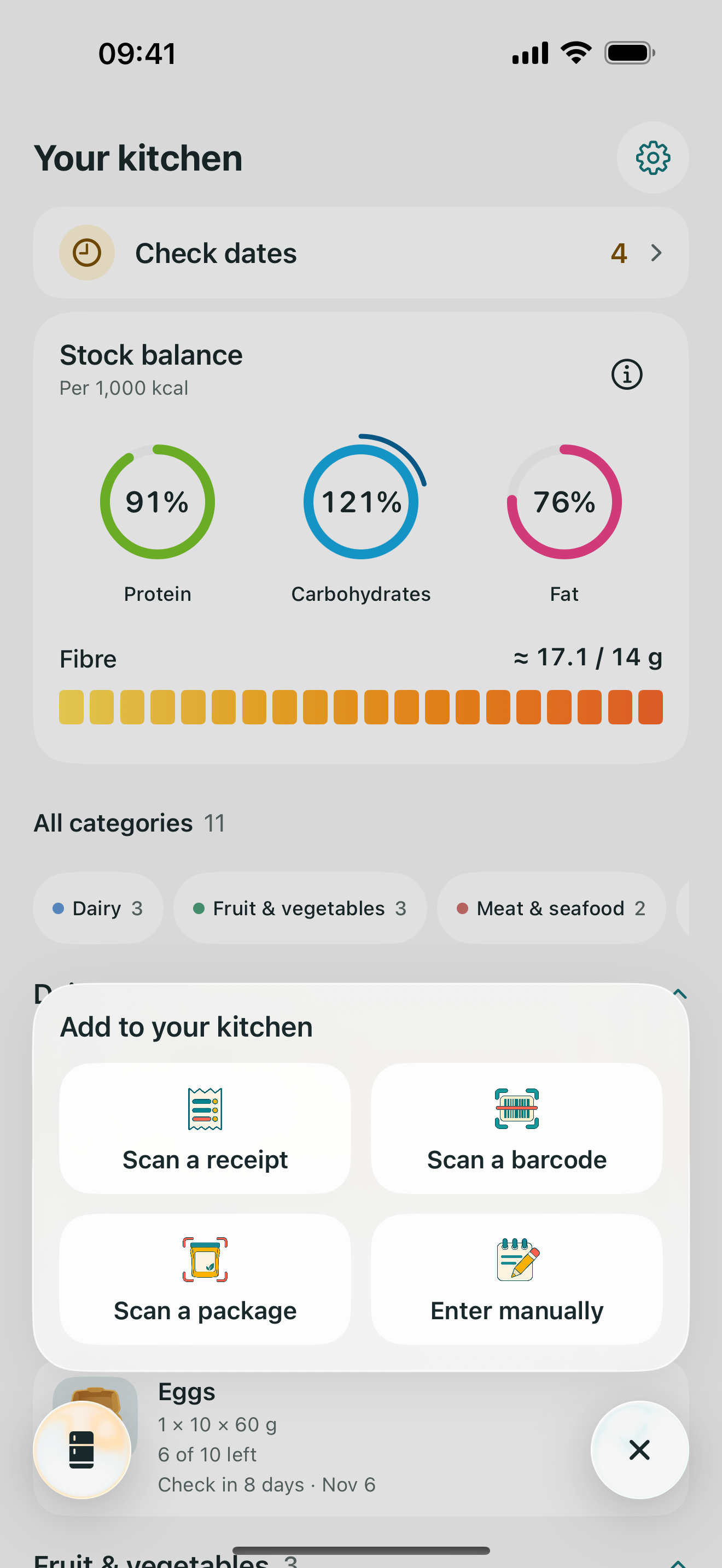
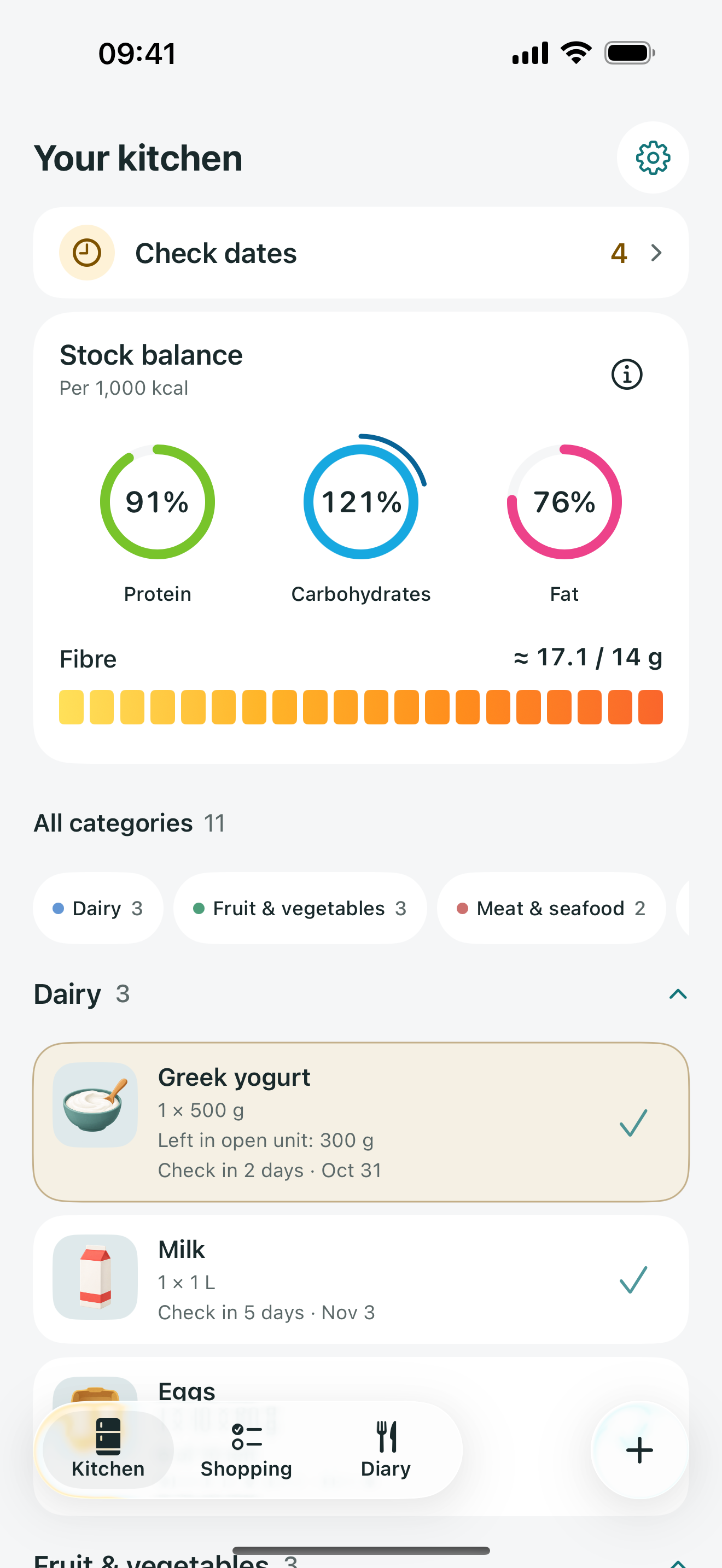
Your kitchen: stock balance, fibre and remaining groceries

Actual app · Sample kitchen

No account to create.Recognition on your iPhone.Your kitchen stays yours.

01 / From receipt to kitchen

Scan your receipt.
Add your groceries in one go.

Scan, check the names and amounts, then save the selected products together. Correct any misread details before adding them.

Barcode, package and manual entry are available too.

Kitchen Expiry menu with receipt, barcode, package and manual entry

02 / A timely nudge

Use it in time.
Waste less.

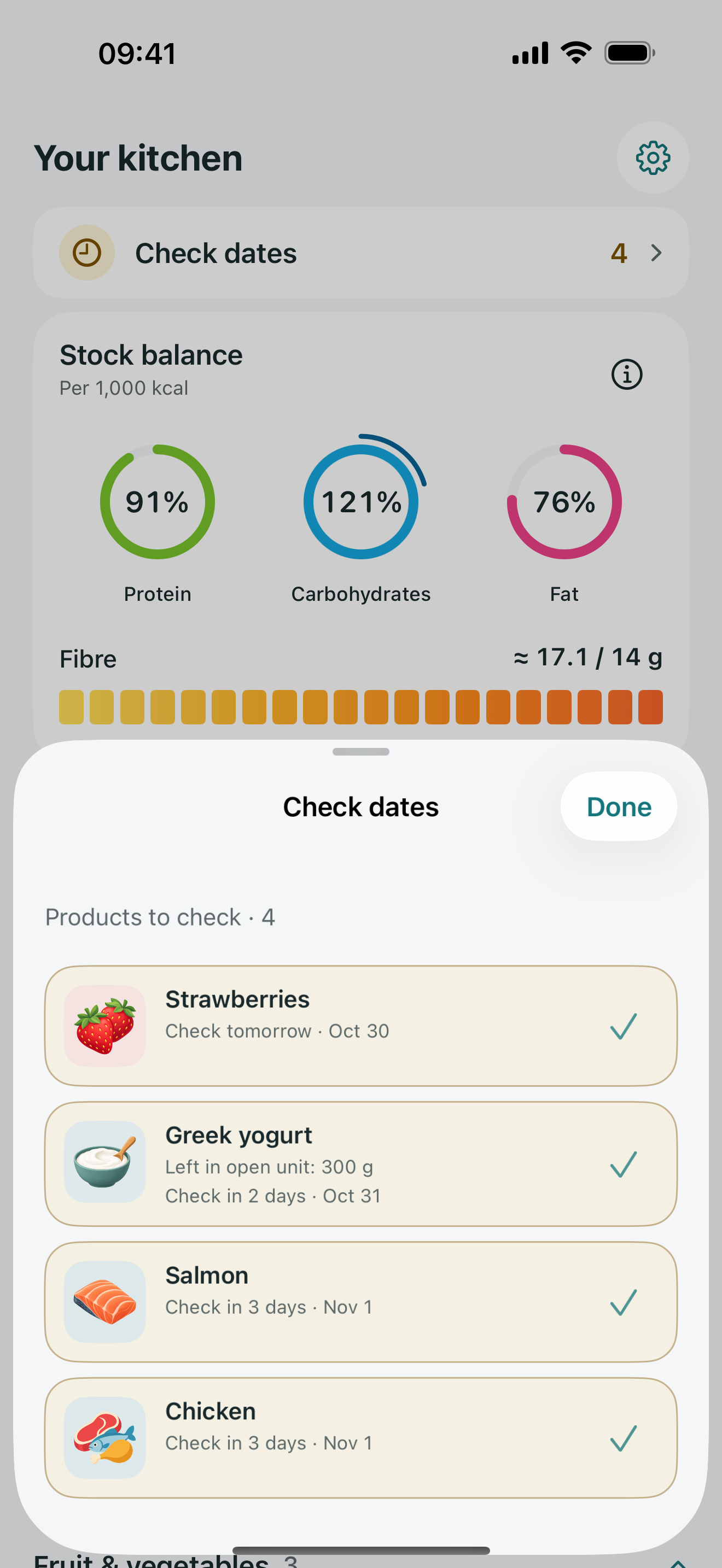
See which dates are approaching and plan what to use next. Add the package date or set a reminder.

Estimated reminders help you plan. They cannot tell whether food is safe to eat.

Groceries with dates to check soon

03 / The bigger picture

Your food diary.
Your pace.

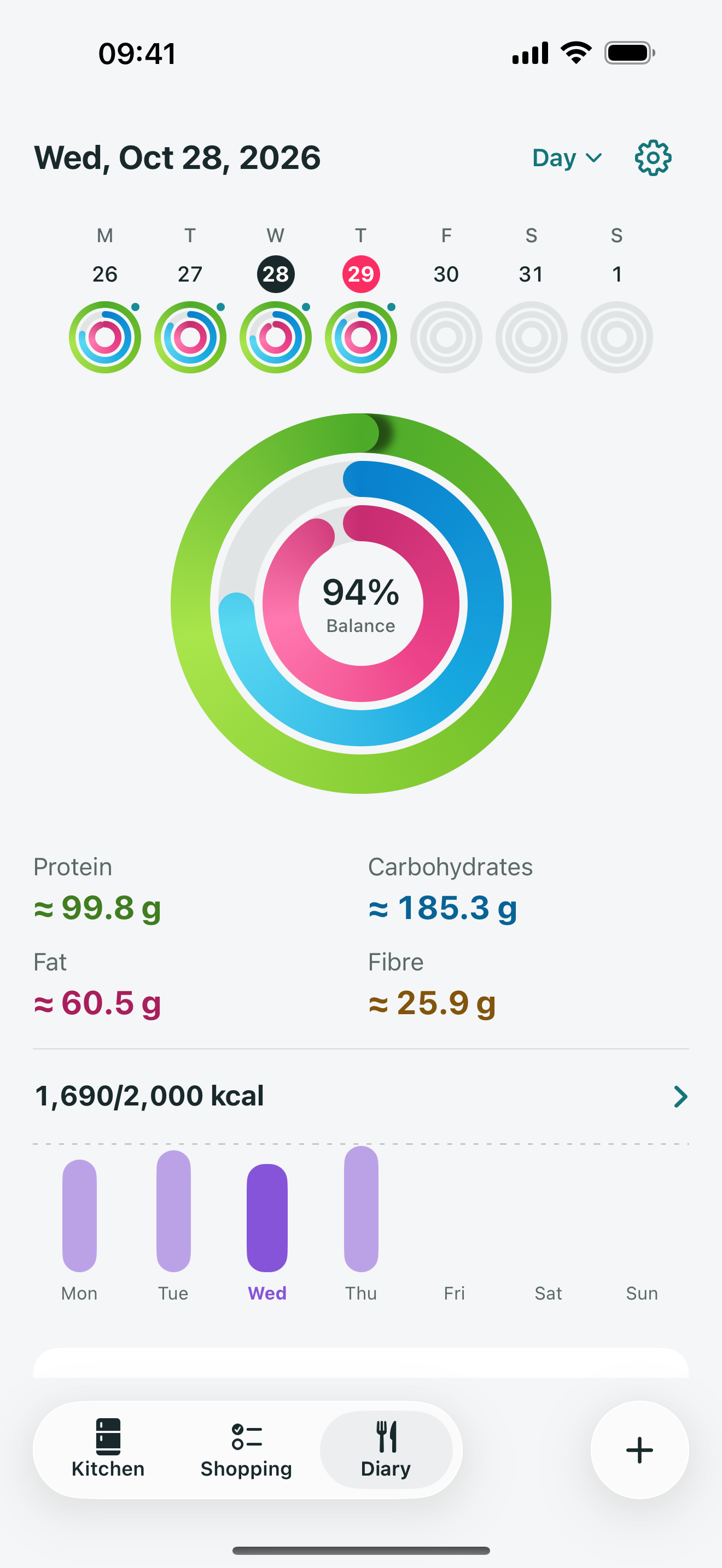
Log meals when it suits you. Return to a past day, or bring your recorded days together in a weekly summary.

See calories, protein, carbs, fat and fibre from what you record.

Nutrition may be estimated. Days without entries remain unrecorded.

Daily food diary with nutrient rings and recorded meals

04 / Before your next shop

Plan your shop.
Buy what you need.

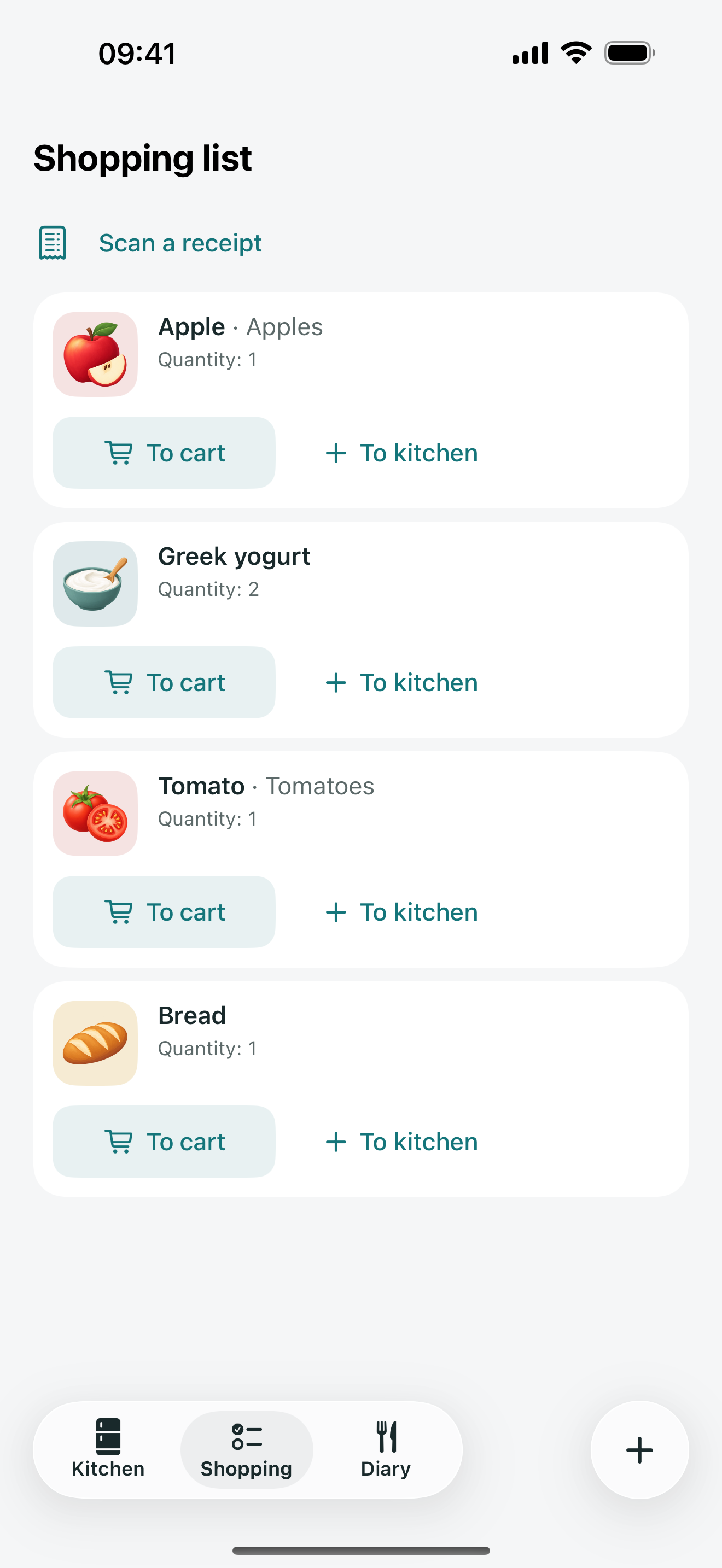
Keep your shopping list beside the groceries you already have. Check what is left before adding more.

A shopping list with product quantities

Made to feel personal

Your food life.
On your iPhone.

No account, ads or analytics SDK. Package and receipt recognition runs on the device. Your kitchen, diary and saved product photos are stored locally.

Unknown barcodes can be looked up through Open Food Facts. Apple device backups may include app data.

Read the privacy details

Good to know

Before your
next grocery run.

When can I get Kitchen Expiry?

We are preparing the first App Store release. A verified download link will appear here when it is available.

Do I need a subscription?

No. All current features are available without a subscription, including unlimited receipt imports, weekly summaries and custom nutrition goals.

Does it work without an account?

Yes. Your records are stored on your iPhone. Scanning text and using the included catalog work on-device. A lookup for an unknown barcode needs an internet connection.

Can a scan read everything correctly?

Recognition can miss or misread details. The app lets you review and correct the result before saving. Manual entry is always available.

Does stock balance measure what I eat?

No. It describes the composition of the remaining products you include in the calculation. The food diary shows only the meals and quantities you record.

How do I keep a copy of my records?

Open Settings, then Backup and restore to export a copy. The file includes your records and saved photos; keep it in a place you trust.

A clearer kitchen
starts with a look.

Kitchen Expiry · Coming to the App Store

Questions? We can help